Learning how to apply transcribeme involves registering a worker account on the platform’s career portal, reviewing the mandatory style guide, and passing an automated audio entrance exam. The platform accepts remote freelancers globally, delivering short audio micro-tasks that require strict adherence to formatting and punctuation rules. Candidates who score sufficiently on the entrance test gain immediate access to the active job board without paying setup fees.
Hardware, Software, and Eligibility Requirements for Applicants
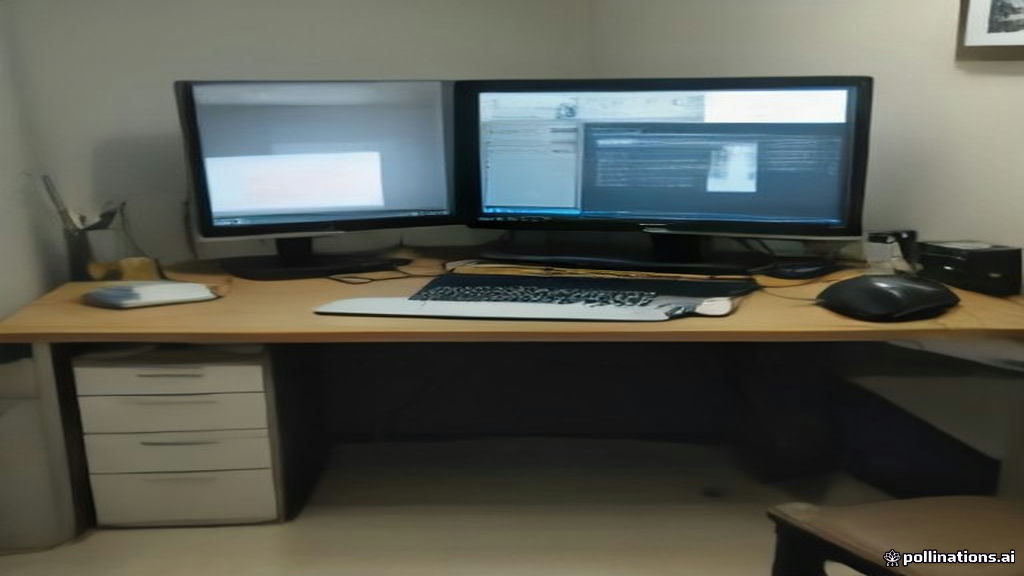
Before initiating an application, prospective workers must verify that their hardware and internet connection meet TranscribeMe’s platform specifications. TranscribeMe processes audio through a web-based work hub, meaning desktop or laptop hardware is required. Smartphone and tablet operating systems are not supported for transcription tasks due to interface restrictions and audio playback controls.
Applicants must be at least 18 years old and reside in a legal jurisdiction supported by TranscribeMe and its primary payment processor. To receive compensation, workers must possess a verified PayPal account in good standing. Candidates should ensure their environment meets the following baseline technical specifications:
- Computer Operating System: Windows 10/11 or macOS 12 or newer, equipped with an up-to-date Google Chrome web browser.
- Audio Equipment: High-quality over-ear or in-ear wired headphones to catch low-frequency dialogue and background noise nuances.
- Internet Connection: A stable high-speed broadband connection (at least 10 Mbps download speed) to prevent audio streaming buffering.
- Foot Pedal (Optional): USB foot pedals are supported within the TranscribeMe WorkHub interface but are not mandatory for introductory tasks.
How to Apply TranscribeMe: Registration and Exam Steps
Completing the onboarding flow requires navigating through candidate registration, identity verification, style documentation study, and a multi-part practical test. Workers who want to evaluate the platform alongside competing entry-level remote options can review TranscribeMe Remote Jobs: Pay Rates, Hiring and Reality before signing up.
Step 1: Create a Freelancer Account
Visit the official TranscribeMe join page and select the freelancer option. Fill out the registration form with your legal full name, primary email address, country of residence, and preferred language skills. Create a strong password and confirm your email address by clicking the verification link sent to your inbox.
Step 2: Connect Your Payment Method
Log into the candidate portal and access your account settings. Input your verified PayPal email address. TranscribeMe strictly requires that the name on your PayPal account matches your registered worker name to prevent fraudulent multiple-account abuse.
Step 3: Access the Exam Portal and Style Guide
Navigate to the “Exams” tab within the WorkHub interface. Download the current version of the TranscribeMe Format Style Guide. This PDF document details exact rules regarding verbatim transcription, clean verbatim conventions, speaker labeling, background tags (such as [cough] or [laughter]), and number formatting.
Step 4: Complete the Multiple-Choice and Practical Audio Tests
Take the English entrance exam, which consists of multiple-choice grammar and style questions followed by 2 to 4 short audio transcription clips. You must transcribe each audio sample strictly according to style guide directives. Results are calculated automatically upon submission.
Step 5: Account Activation and Work Queue Access
If you achieve a passing score (typically 85% to 90% accuracy depending on the current cohort threshold), your account status updates immediately to active transcriptionist. You can then begin accepting available audio chunks from the platform queue.
How to Study the Style Guide and Pass Entrance Screenings
The primary barrier to passing the entrance exam is failing to adhere to TranscribeMe’s strict formatting standards. Many applicants fail on their first attempt because they transcribe according to general intuition rather than the platform’s specific grammar rules. Candidates comparing various transcription test formats may also want to inspect How to Join GoTranscript as a Transcriber in 2026 to see how evaluation criteria differ across platforms.
Key style guide mechanics to memorize before taking the exam include:
- Clean Verbatim Rules: TranscribeMe defaults to clean verbatim unless specified otherwise. This requires removing filler words (such as “um,” “ah,” “like,” and “you know”), stutters, and false starts while preserving full sentence structure.
- Numbers and Currency: Spell out numbers zero through nine, and use digits for numbers 10 and above. Always use symbols for currency ($5 rather than five dollars) unless instructed by a specific client prompt.
- Tagging Conventions: Standardize timestamps and tag placements. Tags such as [inaudible], [crosstalk], and [applause] must be typed with brackets and lowercase lettering exactly as formatted in the manual.
- Spelling and Regional Dialects: Pay close attention to whether the sample audio uses American English (US) or British English (UK) spelling conventions. The exam prompt explicitly states which dictionary standards to apply.
TranscribeMe Audio Compensation, Thresholds, and Payment Rules
TranscribeMe compensates workers based on “audio length” rather than elapsed clock time spent typing. A standard general transcription job pays an entry-level rate ranging from $15 to $22 per audio hour. Because transcribing one hour of audio typically takes three to four hours of real-time effort for beginners, effective hourly earnings usually compute to $3.75 to $7.30 per hour.
Specialized teams—such as Legal, Medical, or Quality Assurance (QA) editors—receive higher tier rates ranging from $24 to $40 per audio hour. Promotion to these teams requires maintaining high accuracy scores on regular jobs and passing additional domain-specific entrance exams.
| Work Tier / Role | Audio Rate (Per Audio Hour) | Est. Real Hourly Pay (3x-4x Speed) | Payout Minimum & Method |
|---|---|---|---|
| Standard English Transcription | $15.00 – $22.00 | $3.75 – $7.30 / hr | $20.00 via PayPal |
| Specialized (Legal / Medical) | $24.00 – $35.00 | $6.00 – $11.60 / hr | $20.00 via PayPal |
| QA Editor / Reviewer | $30.00 – $45.00 | $8.00 – $15.00 / hr | $20.00 via PayPal |
Payouts are requested on demand through the WorkHub dashboard once your account balance hits the minimum withdrawal threshold of $20.00. Funds are transferred directly to your connected PayPal account, usually within 1 to 3 business days. TranscribeMe does not charge direct payout processing fees, but standard PayPal currency conversion fees apply for international freelancers outside the United States.
Regarding taxes, US transcribers operate as 1099-NEC independent contractors. Freelancers earning over $600 in a calendar year receive a Form 1099 for self-employment tax reporting. Independent contractor regulations and reporting thresholds differ significantly in the UK, Canada, and Australia; always consult a certified tax accountant regarding your personal obligations.
For additional analysis on administrative rules and account protection, see our guide on whether Is TranscribeMe Safe? Platform Security and Pay Reality.
Frequently Asked Questions About TranscribeMe Applications
What happens if I fail the TranscribeMe entrance exam?
If you do not pass on your first try, TranscribeMe allows candidates to retake specific sections of the exam. Most entrance modules grant up to two or three attempts per account. If all retakes are exhausted, your account enters a mandatory waiting period (typically 30 to 90 days) before the system resets your attempt counter.
Is applying to TranscribeMe completely free?
Yes. TranscribeMe never charges an application fee, exam fee, or account maintenance fee. Any third-party website claiming to sell exam answers or asking for payment to guarantee a job on TranscribeMe is fraudulent.
How long does it take to get approved after applying?
Account creation and exam grading occur automatically within the WorkHub software. Once you pass the final practical audio clip, your account updates to active status immediately, allowing you to check the live job board for available files right away.
Can I apply to TranscribeMe from outside the United States?
Yes, TranscribeMe accepts international freelancers from the UK, Canada, Australia, and numerous other global countries, provided you can open and operate a fully verified PayPal account to receive funds.
Final Assessment for Prospective TranscribeMe Applicants
Applying to TranscribeMe provides a accessible entry point for remote freelancers seeking flexible, micro-task audio transcription without upfront costs or specialized background checks. However, low effective hourly rates mean it is best suited as a supplemental income source rather than full-time employment. Your immediate first step should be to download the latest TranscribeMe Style Guide from the dashboard and thoroughly review its clean verbatim rules before launching your first exam attempt.
Related Guides
- Is Liveops Worth It? Real Pay Rates and Upfront Costs
- Is Revolut Safe? Security Rules, Licenses, and Risks
- Is Revo AI Legit? WFH Safety, Earnings, and Evaluation
Last updated: October 24, 2026. Pay rates, bonuses and eligibility rules change often, so always confirm the current details on the official website before you sign up.